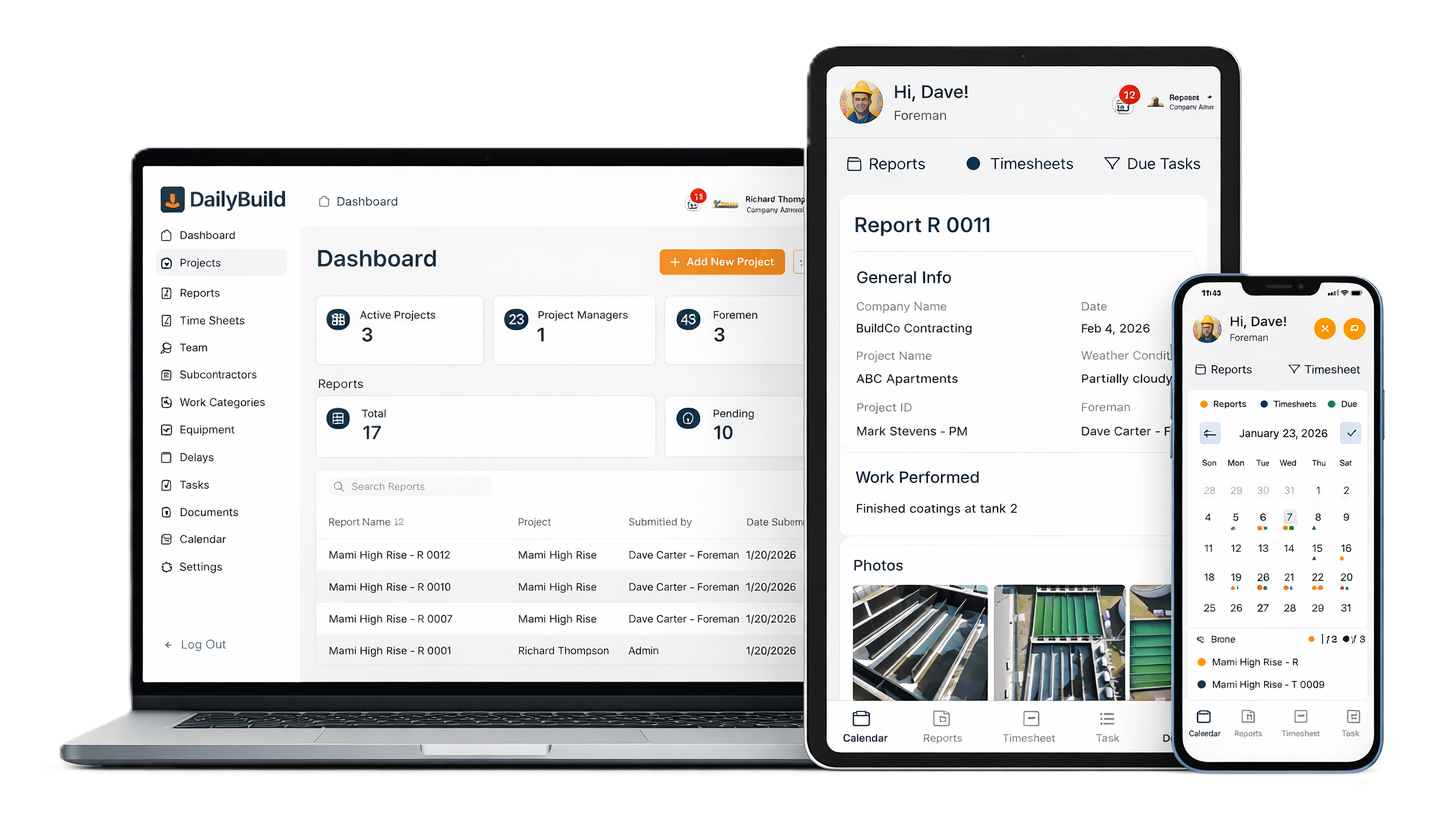
Daily Reports Done in Minutes
Create Daily Reports, Timesheets and Tasks effortlessly.
Built to save time for Foremen and increase profits for Project Managers.
Foremen & Superintendents
Complete your Reports in Minutes wherever you are.
No training needed with our intuitive phone app available on Apple & Android.
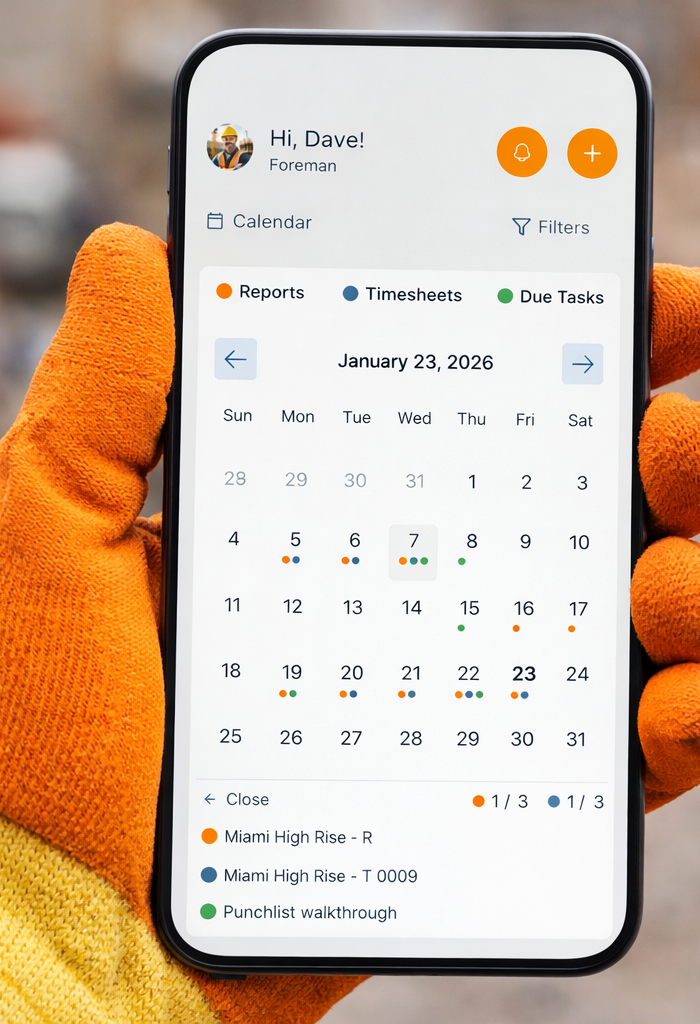
Calendar View
Never miss a report - see exactly what's been completed
Daily Reports
Auto Weather and easy Photo Upload
Timesheets
Quickly log your crews hours
Tasks
Assign tasks to your Project Manager or team
Documents
Easy access to all your project plans, specs and photos
Safety
Document Incidents, Delays and Safety Notes
Project Managers and Admin
No more missed Change Orders with our Delay Reports.
Stay Organized and in control of your project.
Daily Reports w/ Auto Weather Report
Capture manpower, work performed, site conditions, and weather in minutes — with the same layout every day so nothing gets missed.
Timesheets & Labor Tracking
Let your team log hours by project and cost code as they complete their reports, so payroll and job costing stay accurate.
Automated Delay Reports
Each delay is tracked for you with automated reporting showing start/end dates as well as occurrences saving you time with change orders.
Photos, Files & Attachments
Attach jobsite photos, plans, RFIs, and other documents directly to each report so you can see what happened, not just read about it.
Incidents, Delays & Safety Notes
Document delays, incidents, and safety observations the moment they happen so you’re protected if questions come up later.
Task Tracking
Create and assign tasks from the field, then track what’s still open so nothing falls through the cracks at closeout.
Client-Ready PDF Exports
Generate clean, professional PDFs that make your company look organized and on top of the job - perfect for owners and GCs.
Multi-Project Dashboard
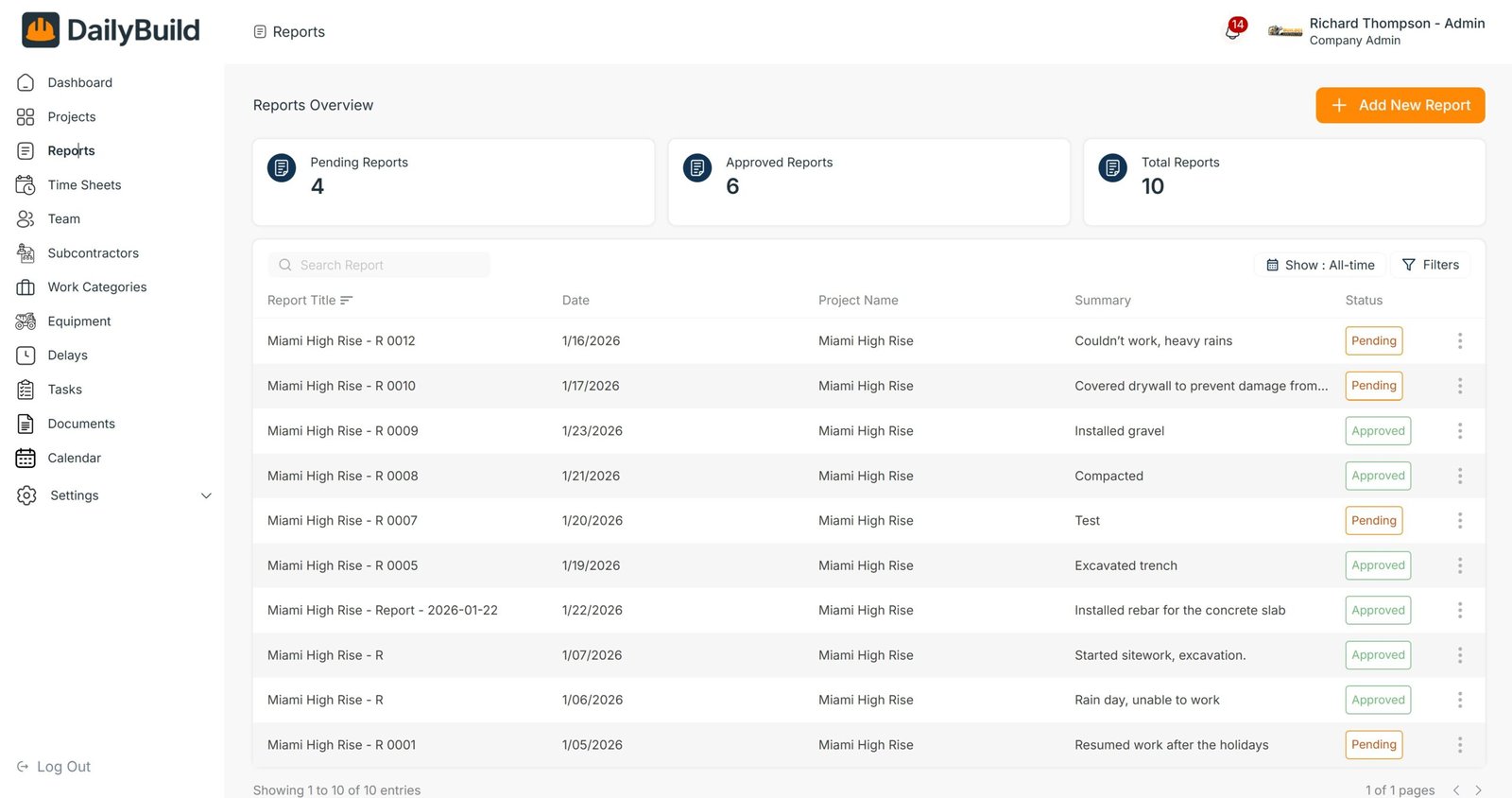
See all your active projects, reports, and timesheets in one dashboard so you always know what’s been submitted and what’s missing.
Materials & Equipment Logs
Track deliveries, materials installed, and equipment on site so you always know what’s been used and what’s still in the yard.
All Features
Daily Reports
Daily Reports Your Foreman Can Finish in Minutes
DailyBuild turns your daily report into a short, guided checklist:
- - Auto Weather conditions based on site location
- - Document crew and subcontractor manpower
- - Document Incidents, delays and issues
- - Automated delay reports make change orders a breeze
- - Work completed and locations
- - Photos from the jobsite
- - Keep track of equipment used
- - Auto Email Completed Reports in PDF format
Timesheets
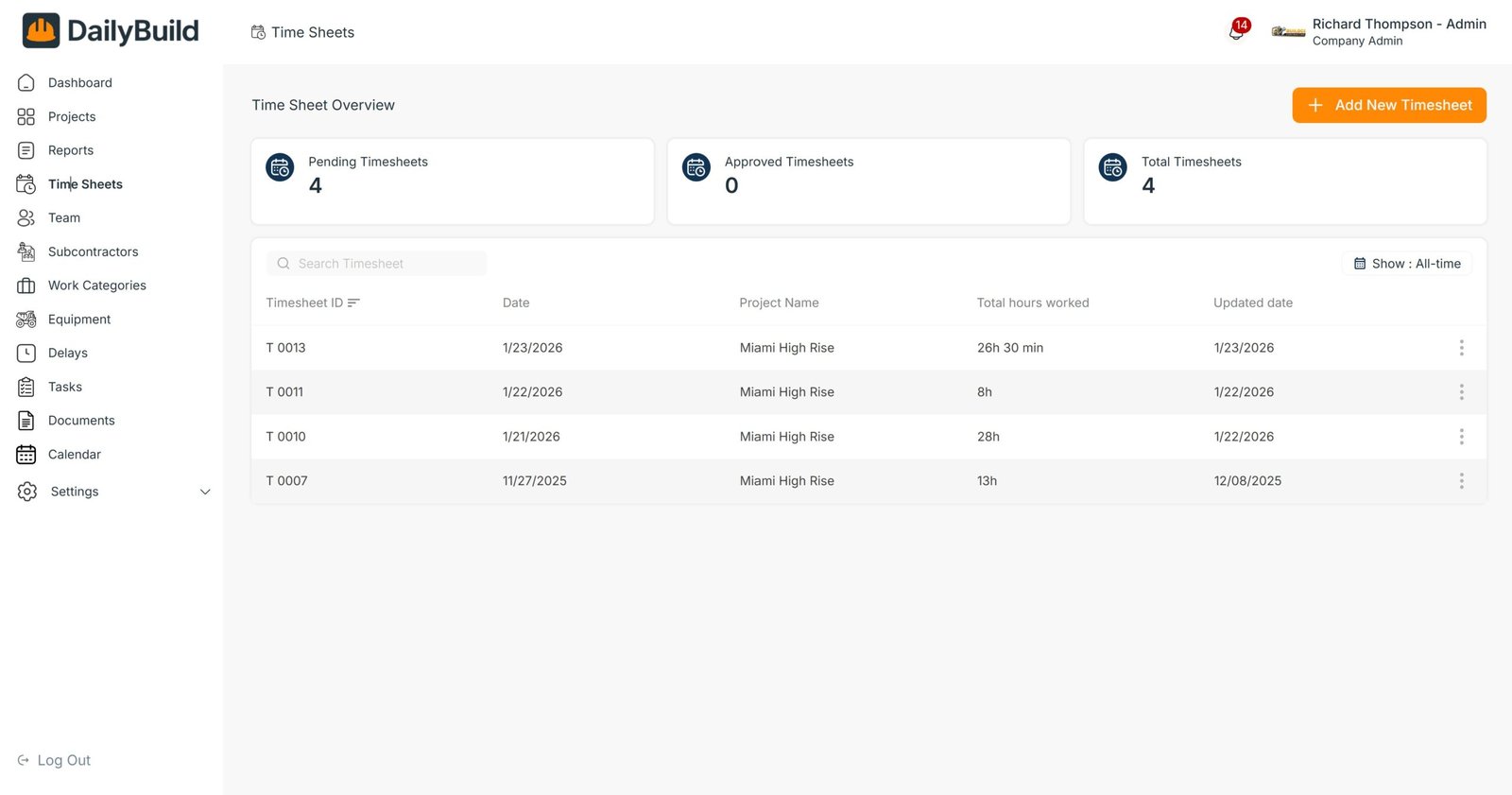
Timesheets That Don’t Slow the Crew Down
Log hours while you fill out the daily report so you never double-enter data.
- - Track hours by employee or crew
- - Assign cost codes to each manhour
- - Export for payroll and job costing
Photos & Documents
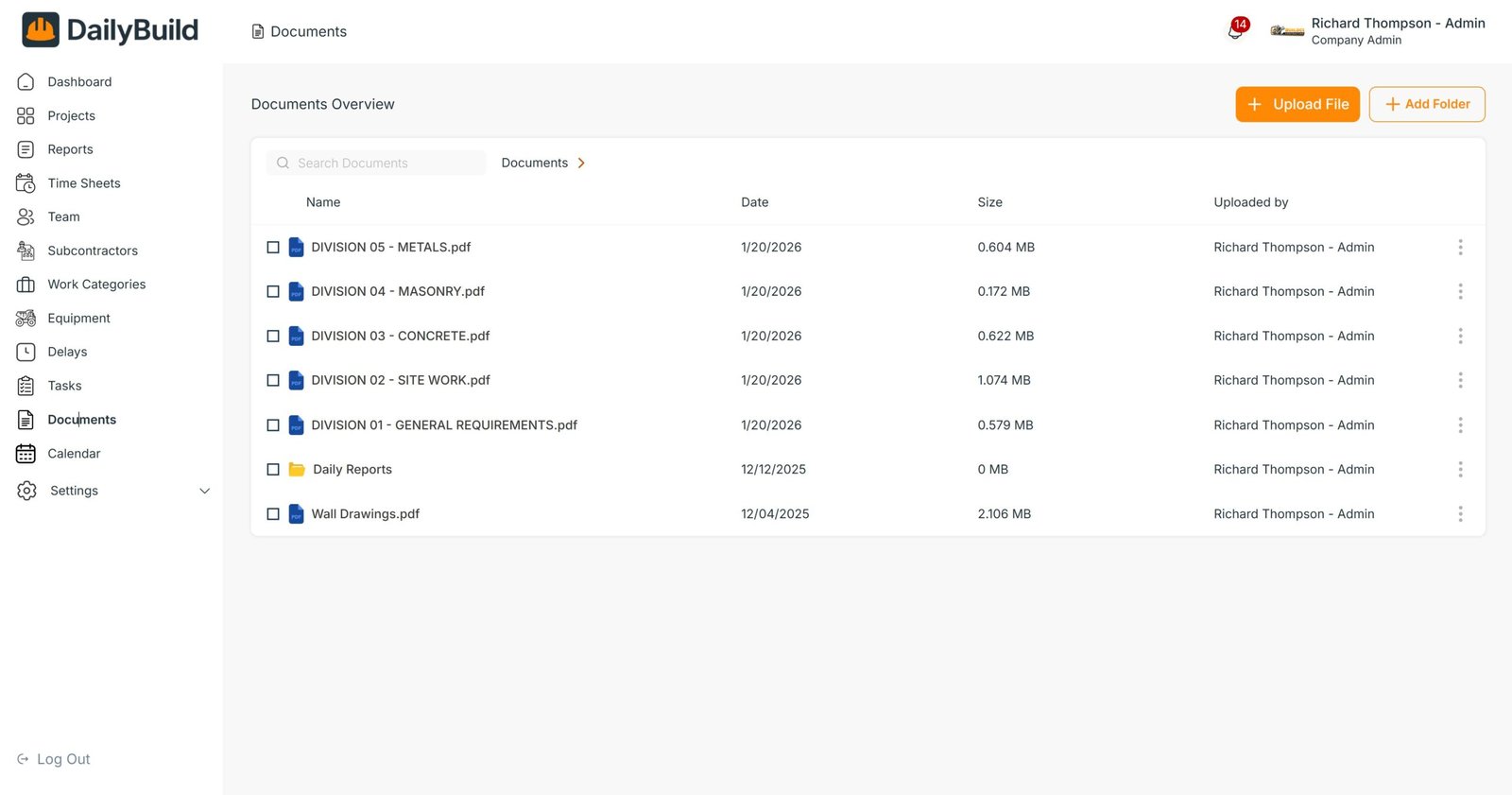
Access Project Docs on the Go
Snap photos from your phone or upload your project documents from your computer for easy access anywhere.
- - Store and access project Drawings, Specs, etc
- - Take and save pictures directly from the app
- - Store documents by project or company wide
- - Easy access to safety or other documents
- - Save images of invoices, sign in sheets and other paperwork
Tasks
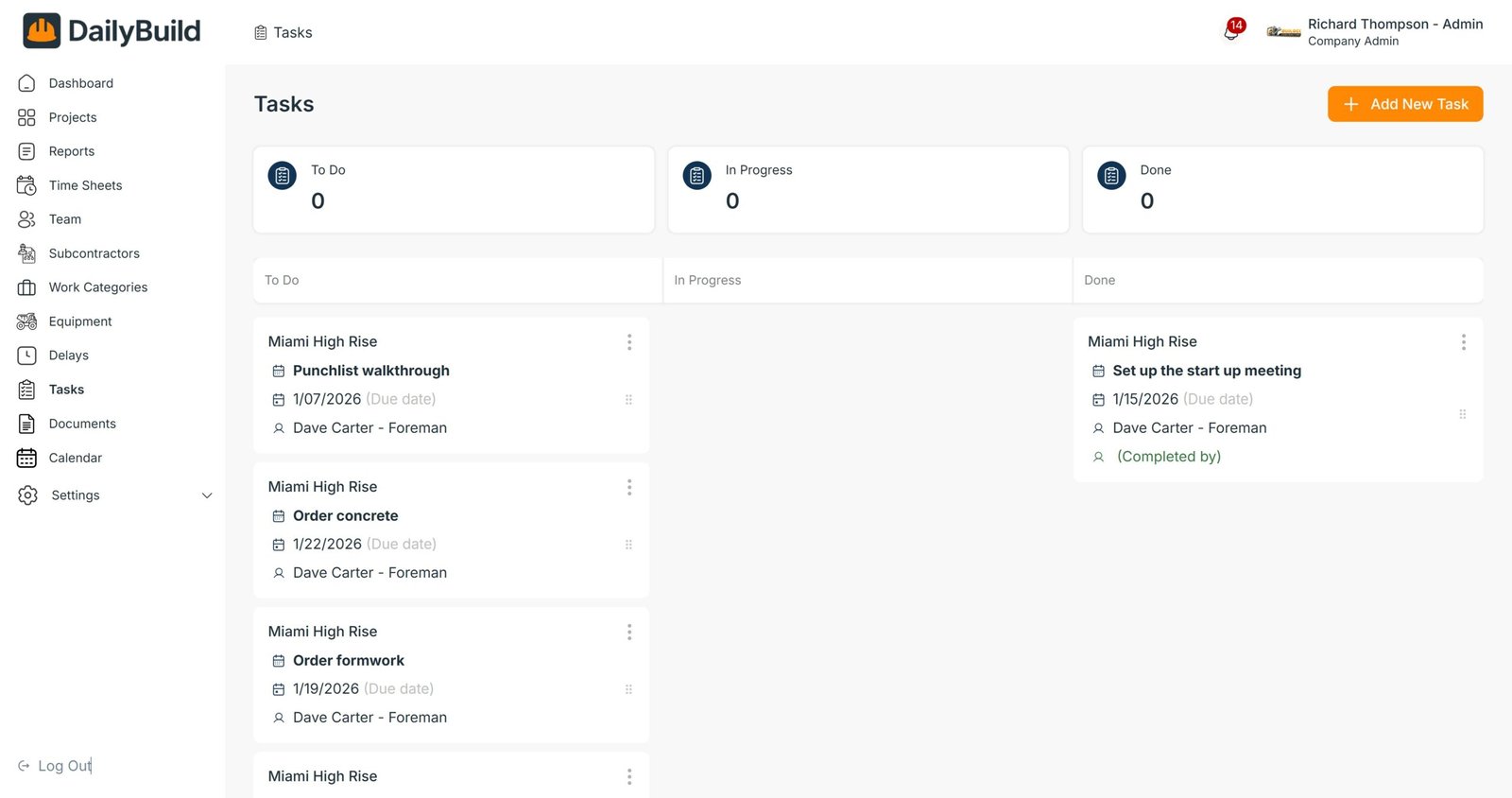
Task management made simple for both Project Managers and Foremen. Create tasks, assign responsibilities, set deadlines, and keep the whole jobsite aligned — all in one easy app.
- - Create tasks instantly
- - Track punchlist items, work activities, materials, inspections, etc
- - Assign tasks to PMs and foremen
- - Automatic notifications & reminders
- - View task due dates in calendar
Calendar
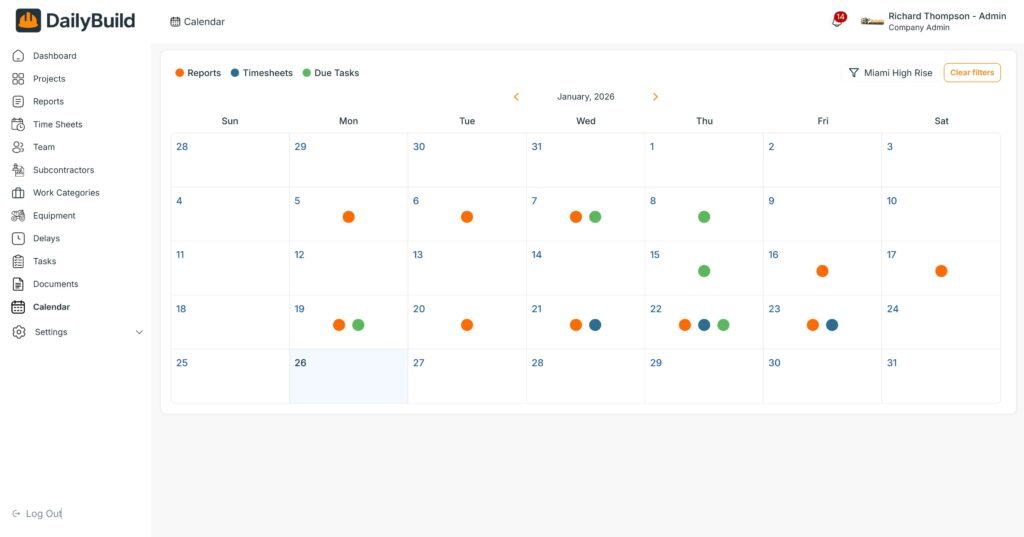
A Clear, Visual Calendar for Your Entire Jobsite.
Instantly see what’s been completed each day — Daily Reports, Timesheets, and Task deadlines — all from one simple calendar view.
- - Dot for each day showing Daily Report, Timesheet and Task
- - Tap any day to view details
- - Immediately see which days are missing reports or have task due
- - Perfect for PMs overseeing multiple projects
- - Save images of invoices, sign in sheets and other paperwork
Accessible on every device your crew uses
DailyBuild works on your web or tablet browser, and also through the mobile app (iOS & Android), so your team can complete reports from the job trailer, the truck, or the office.
Access all sections for Foremen on your phone app , or the full dashboards on your computer.